
PointClickCare CNA Login: Access Your POC Account Fast 2026 October
Free PointClickCare CNA Login: 🟢 Access Your practice test with questions and answer explanations. Prepare for the 2026 October exam with instant scoring.
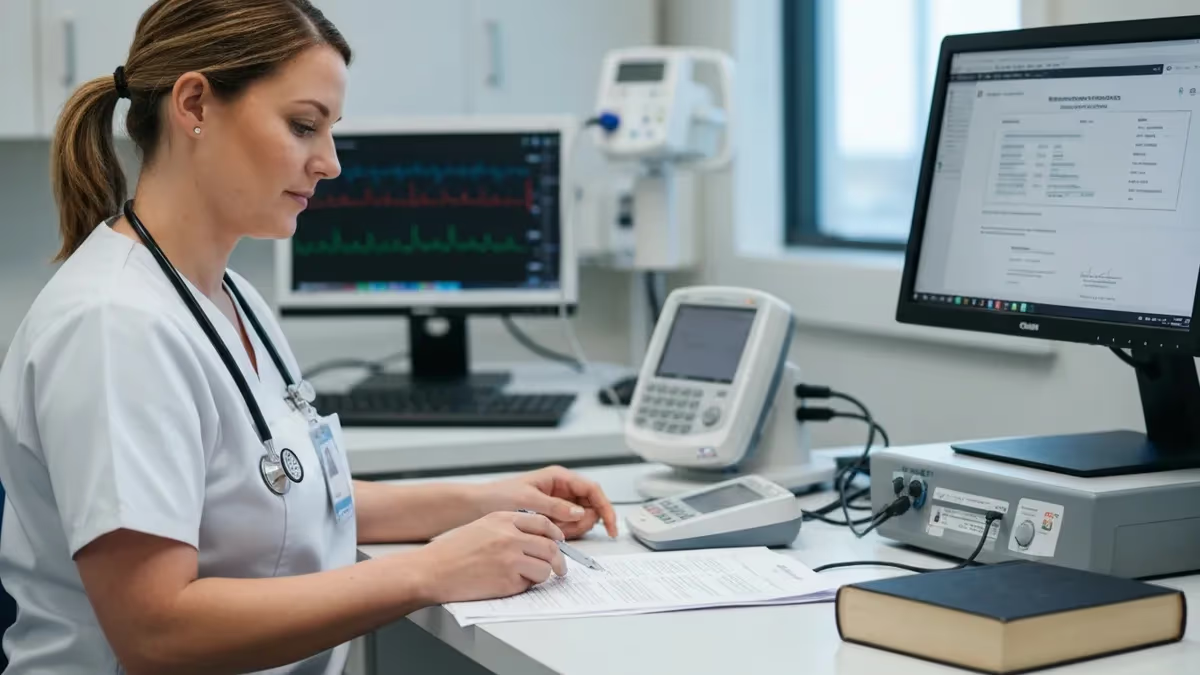
The pointclickcare cna login portal is where you'll handle most of your daily documentation as a certified nursing assistant. Whether you're clocking in for a morning shift or charting vitals at 2 AM, this is your gateway. PointClickCare runs in over 27,000 long-term care facilities across North America -- and if you work in one, you already know that login screen. Maybe too well.
Here's the thing: the pointclickcare login cna system isn't complicated once you know the steps. But first-day orientation rarely covers it properly. You get a username, maybe a temporary password scribbled on a sticky note, and someone points at a tablet mounted to the wall. That's it. No walkthrough, no troubleshooting tips, nothing about what to do when the system locks you out mid-shift because you fat-fingered your password three times. This guide fixes that gap.
We'll walk through every step of the login process -- from initial setup to daily access, password resets, app configuration, and the POC (Point of Care) charting system that CNAs use for real-time documentation. You'll also find troubleshooting fixes for the most common login problems, because nothing derails a shift faster than staring at an error screen while residents need help.
Whether you're brand-new to PointClickCare or you've been using it for years and just hit a weird glitch, this page has what you need. Bookmark it. You'll probably come back.

How the PointClickCare Login CNA System Actually Works
The pointclickcare login cna portal uses a facility-specific URL. That means you can't just go to pointclickcare.com and log in. Your employer assigns you a unique web address -- something like yourfacility.pointclickcare.com -- and that's the only URL that'll accept your credentials. Lose that link? Ask your charge nurse or IT department. Don't guess.
The cna login pointclickcare process starts with three pieces of information: your facility's login URL, your username (usually your employee ID or a variation of your name), and your password. First-time users get a temporary password that expires after 24 hours. Change it immediately. Pick something you'll remember but nobody else would guess -- skip the birthday, skip "password123." Your DON doesn't want to reset your credentials every Monday morning.
Once you're in, the dashboard shows your assigned residents, pending documentation, and any alerts from the nursing staff. The layout depends on your facility's configuration. Some places customize it heavily; others leave it stock. Either way, the core workflow stays the same: select a resident, open their chart, document your care activities, and submit. Every entry gets timestamped automatically -- no faking it.
Session timeouts catch a lot of new CNAs off guard. PointClickCare logs you out after 30 minutes of inactivity. That's not a bug. It's a HIPAA compliance feature. Save your work often, or you'll lose whatever you typed when the timer runs out. Nobody wants to re-chart a full round of vitals.
Daily Login Workflow and Charting Basics
Your daily routine with the pointclickcare login cna login system follows a predictable pattern. Clock in. Grab a facility tablet or workstation. Navigate to the login URL. Enter credentials. Done. Most CNAs complete the entire pointclickcare cna charting login process in under 30 seconds once they've done it a few times. Muscle memory kicks in fast.
The charting side is where things get interesting -- and where new CNAs sometimes struggle. PointClickCare's CNA workflow uses a task-based system. You don't just open a blank text box and type whatever you want. Instead, the system presents pre-built tasks: ADL completion, vital signs, intake/output measurements, repositioning logs, and behavioral observations. You tap through structured fields, enter values, and submit. It's faster than handwriting and way more legible.
One thing nobody tells you during training: the charting interface looks different on tablets versus desktop computers. Tablets use a simplified touch-friendly layout. Desktop workstations show more data on screen but require mouse navigation. If you've only trained on one, the other might throw you off. Don't panic. Same data, same workflow, different skin. Give it a shift or two and you'll adjust.
Pro tip -- chart as you go. Don't wait until the end of your shift to document eight hours of care activities. You'll forget details, mix up residents, and spend an extra 45 minutes after your shift trying to reconstruct your day. Chart after each round. Your documentation will be more accurate and your supervisor will notice.
PointClickCare Login Methods Compared
Best for: Desktop workstations at nursing stations. Navigate to your facility's unique PCC URL (e.g., yourfacility.pointclickcare.com). Enter your username and password. Works in Chrome, Edge, Firefox, and Safari. Bookmark the URL for faster access -- but never save your password in a shared browser. HIPAA violations aren't worth the convenience.
Understanding the CNA-Specific Dashboard
After your pointclickcare cna login cna credentials clear, the dashboard loads your assigned resident list. This isn't the same view that nurses or administrators see. Your CNA dashboard is streamlined -- task-focused, with minimal clutter. You'll see resident names, room numbers, scheduled tasks, and any alerts flagged by nursing staff. The pointclickcare cna cna login interface prioritizes speed because you don't have time to dig through menus when you're managing fifteen residents.
Each resident card shows their care status at a glance. Green means all tasks completed for the current shift. Yellow means tasks are pending. Red means something is overdue -- and overdue tasks trigger supervisor notifications, so don't let them pile up. The system tracks completion rates by CNA, and some facilities use these metrics during performance reviews. Nobody's trying to punish you, but the data doesn't lie.
Customization options exist but depend on your facility's admin settings. Some places let CNAs rearrange their dashboard, pin frequently accessed residents, or set up quick-entry shortcuts for common vitals. Others lock everything down. If you want changes, ask your charge nurse to request them through the system administrator. PointClickCare is flexible -- your facility just has to enable the features.
One more thing about the dashboard: it syncs in real-time across devices. If you start charting on a hallway tablet and switch to a workstation at the nursing station, your work carries over. No double-entry needed. This matters during busy shifts when you're bouncing between floors.
Mobile App Setup and the CNA PointClickCare Login
The cna pointclickcare login process on mobile is slightly different from the desktop version. You'll need the PointClickCare Companion app -- available on both iOS and Android -- plus your facility's organization code. That code isn't your username. It's a facility-level identifier that tells the app which database to connect to. Your administrator has it, and it's usually posted somewhere in the break room or included in your onboarding packet. Lost it? Check with HR before calling the help desk.
After installing the app and entering the org code, the pointclickcare user login cna flow mirrors the web version. Username, password, done. But the app adds biometric authentication as an option. Once you've logged in successfully the first time, you can enable fingerprint or face recognition for future logins. This shaves seconds off every login -- and across a full shift, those seconds add up. Fast access means more time with residents and less time staring at screens.
The mobile app doesn't have every feature the desktop version offers. You won't find advanced reporting, bulk documentation tools, or administrative settings. What you will find: resident lists, ADL charting, vital signs entry, and messaging. That covers about 95% of what a CNA needs during a shift. For the other 5%, use a desktop workstation.
Battery and connectivity matter. The app works offline for basic charting and syncs when you reconnect to Wi-Fi. But don't rely on offline mode as your primary workflow -- data conflicts can occur if two people chart the same resident while one device is offline. Stay connected when possible. Keep your device charged above 20%. Dead phone, dead charting.
PointClickCare for CNAs: Benefits and Drawbacks
- +Eliminates handwritten charting errors and illegible documentation
- +Real-time sync across devices means no duplicate data entry
- +Automated task reminders prevent missed care activities
- +HIPAA-compliant messaging replaces unsafe personal texting
- +Biometric login on mobile devices speeds up bedside access
- +Timestamped entries create bulletproof audit trails for surveys
- −30-minute auto-logout loses unsaved work if you forget to submit
- −Learning curve frustrates CNAs transitioning from paper charting
- −Facility-specific URLs mean you can't log in from generic bookmarks
- −Tablet kiosks freeze during peak shift-change hours
- −Limited offline functionality creates problems in low-connectivity areas
- −Password lockout after 3 failed attempts requires admin reset during shifts
Pros and Cons at a Glance
| Pros | Cons |
|---|---|
| Eliminates handwritten charting errors and illegible documentation | Learning curve frustrates CNAs transitioning from paper charting |
| Real-time sync across devices means no duplicate data entry | Facility-specific URLs mean you can't log in from generic bookmarks |
| Automated task reminders prevent missed care activities | Tablet kiosks freeze during peak shift-change hours |
| HIPAA-compliant messaging replaces unsafe personal texting | Limited offline functionality creates problems in low-connectivity areas |
Troubleshooting the PointClickCare CNA Login App
The pointclickcare cna login app throws errors more often than you'd expect from enterprise healthcare software. Most issues fall into four categories: wrong credentials, expired passwords, network problems, or browser incompatibility. Let's fix each one. Start with the obvious -- are you using the right URL? Facility-specific URLs look similar, and if your healthcare system operates multiple buildings, you might be hitting the wrong login page entirely.
Password resets are the single most common support request for the pointclickcare cna login skilled nursing system. Your password expires every 60 to 90 days depending on facility settings. When it does, the system displays a generic "invalid credentials" error that doesn't mention expiration. Helpful, right? Click "Forgot Password" and follow the reset flow. You'll need the email address associated with your account -- which might be your personal email or a facility-assigned one depending on how your admin set things up.
Account lockouts happen after three consecutive failed login attempts. The lockout duration varies by facility -- anywhere from 15 minutes to "call IT." If you're locked out during a shift, find a charge nurse who can contact the system administrator. Some facilities have an on-call IT person for nights and weekends. Others don't. Know your facility's after-hours IT protocol before you need it.
Browser issues trip up desktop users more than mobile ones. PointClickCare works best in Chrome. Edge works fine. Firefox is hit-or-miss. Safari on Mac has known rendering issues with certain chart views. If something looks wrong or buttons aren't responding, try Chrome first. Clear your browser cache if the login page loads slowly or shows outdated elements. And never use Internet Explorer -- it's 2026.
PointClickCare CNA Login Troubleshooting Checklist
- ✓Verify you're using the correct facility-specific URL, not a generic PCC link
- ✓Check that your password hasn't expired (resets every 60-90 days)
- ✓Confirm Caps Lock is off -- passwords are case-sensitive
- ✓Clear browser cache and cookies if the login page won't load
- ✓Switch to Chrome if you're having display or button issues
- ✓Check Wi-Fi or network connectivity on mobile devices
- ✓Wait 15 minutes if locked out after 3 failed password attempts
- ✓Contact your charge nurse or supervisor for emergency credential resets
- ✓Restart the PointClickCare Companion app if it freezes during login
- ✓Update the mobile app to the latest version from your app store
POC Charting Through PointClickCare
The pointclickcare login cna poc system -- that's "Point of Care" for anyone still learning the acronyms -- is the heart of CNA documentation. POC charting means you document care activities at the bedside, in real-time, as you provide them. No more scribbling notes on paper towels and transcribing them four hours later. The pointclickcare cna login poc interface opens directly to your assigned residents with pending tasks highlighted in yellow.
POC charting works differently from retrospective documentation. When you open a resident's chart through the POC module, you see a task list customized to that resident's care plan. Mrs. Johnson in room 204 might need vitals every four hours, repositioning every two, and ADL assistance three times daily. Mr. Chen in room 208 has a completely different schedule. The system knows what's due, what's overdue, and what's already been completed by the previous shift.
Documentation accuracy matters more than speed -- but you need both. POC charting through PointClickCare auto-fills timestamps, calculates BMI from height and weight entries, and flags vital signs that fall outside physician-ordered parameters. If you enter a blood pressure of 180/110, the system doesn't just save it and move on. It generates an alert. The nurse on duty sees it immediately. That's the whole point of real-time charting -- clinical issues get caught in minutes, not hours.
One quirk of the POC system: it doesn't let you backdate entries by more than a facility-configured time window. Most places set this to one hour. So if you're charting vitals from three hours ago because you got pulled into an emergency, the system may force you to add a late-entry note explaining the delay. Better to chart immediately. Always.
PointClickCare in Skilled Nursing Facilities
The pointclickcare poc cna login experience varies significantly between facility types, but skilled nursing facilities (SNFs) represent the platform's largest user base. About 70% of PointClickCare's installations are in SNFs. That's not an accident -- the software was built for long-term care documentation, and skilled nursing requirements are where it really shines. MDS assessments, care plan integration, and CMS compliance reporting all run through the same system you log into for basic charting.
If you work in a skilled nursing environment, your 28 pointclickcare cna login sessions per week (roughly four per shift across seven days) generate thousands of data points. The system aggregates this data for regulatory reporting, quality metrics, and reimbursement calculations. Your ADL documentation directly affects your facility's Medicare reimbursement rates. No pressure.
SNFs typically configure PointClickCare with more restrictive access controls than assisted living or memory care facilities. You'll see fewer menu options, stricter documentation timelines, and more mandatory fields that can't be skipped. This isn't your administrator being difficult. CMS regulations require specific documentation for skilled nursing services, and the system enforces those requirements so the facility doesn't get cited during surveys.
Cross-training between facilities? Your PointClickCare skills transfer, but your credentials don't. Each facility issues its own login credentials tied to its own database. If you're a travel CNA working at three different SNFs, you'll have three separate usernames, three passwords, and three facility URLs. Keep them organized. A password manager helps -- just make sure it's not on a sticky note taped to the back of your badge.
PointClickCare passwords must meet minimum complexity requirements: at least 8 characters, one uppercase letter, one number, and one special character. Never reuse passwords across facilities. If one facility experiences a data breach, shared passwords put every facility's patient data at risk. Use a unique password for each login and change it before the mandatory expiration window to avoid mid-shift lockouts.
Advanced Tips for Daily PointClickCare Use
Experienced CNAs develop shortcuts that aren't in any training manual. The pointclickcare login nursing cna workflow supports keyboard shortcuts on desktop -- Tab moves between fields, Enter submits forms, and Escape cancels without saving. These work in Chrome and Edge. On tablets, swiping left on a completed task marks it done without opening the full detail view. Small efficiency gains compound across an eight-hour shift.
Shift handoffs deserve special attention in PointClickCare. The system includes a "shift summary" feature that generates a printable or on-screen report of all documentation from the outgoing shift. Before you start charting, review the previous CNA's summary. It tells you what was completed, what was missed, and any alerts that carried over. Don't skip this step. Walking into a resident's room without knowing their current status is how incidents happen.
Multi-floor assignments present a unique challenge. If your facility assigns you residents across two or more floors -- it happens in understaffed buildings -- use the filtering tools in PointClickCare to group your task list by location rather than by resident name. This prevents unnecessary trips between floors. Chart everything on floor three before moving to floor four. Efficiency isn't just about speed; it's about not burning out before your shift ends.
Finally: documentation isn't optional. Every state board of nursing requires CNAs to maintain accurate, timely records of care provided. PointClickCare makes this easier than paper, but the responsibility is still yours. If you didn't chart it, it didn't happen. That phrase exists for a reason, and survey inspectors take it literally.
CNA Practice Test Questions
Prepare for the CNA - Certified Nursing Assistant exam with our free practice test modules. Each quiz covers key topics to help you pass on your first try.
CNA Activities of Daily Living
CNA Exam Questions covering Activities of Daily Living. Master CNA Test concepts for certification prep.
CNA Aging Process
Free CNA Practice Test featuring Aging Process. Improve your CNA Exam score with mock test prep.
CNA Anatomy and Physiology Basics
CNA Mock Exam on Anatomy and Physiology Basics. CNA Study Guide questions to pass on your first try.
CNA Assisting with Daily Living
CNA Test Prep for Assisting with Daily Living. Practice CNA Quiz questions and boost your score.
CNA Assisting with Range of Motion Exercises
CNA Questions and Answers on Assisting with Range of Motion Exercises. Free CNA practice for exam readiness.
CNA Basic Human Anatomy and Age-Related Ch...
CNA Mock Test covering Basic Human Anatomy and Age-Related Changes. Online CNA Test practice with instant feedback.
CNA Basic Nursing Skills
Free CNA Quiz on Basic Nursing Skills. CNA Exam prep questions with detailed explanations.
CNA Basic Nursing Skills 10
CNA Practice Questions for Basic Nursing Skills 10. Build confidence for your CNA certification exam.
CNA Basic Nursing Skills 11
CNA Test Online for Basic Nursing Skills 11. Free practice with instant results and feedback.
CNA Basic Nursing Skills 1
CNA Study Material on Basic Nursing Skills 1. Prepare effectively with real exam-style questions.
CNA Basic Nursing Skills 12
Free CNA Test covering Basic Nursing Skills 12. Practice and track your CNA exam readiness.
CNA Basic Nursing Skills 13
CNA Exam Questions covering Basic Nursing Skills 13. Master CNA Test concepts for certification prep.
CNA Basic Nursing Skills 14
Free CNA Practice Test featuring Basic Nursing Skills 14. Improve your CNA Exam score with mock test prep.
CNA Basic Nursing Skills 15
CNA Mock Exam on Basic Nursing Skills 15. CNA Study Guide questions to pass on your first try.
CNA Basic Nursing Skills 16
CNA Test Prep for Basic Nursing Skills 16. Practice CNA Quiz questions and boost your score.
CNA Basic Nursing Skills 17
CNA Questions and Answers on Basic Nursing Skills 17. Free CNA practice for exam readiness.
CNA Basic Nursing Skills 18
CNA Mock Test covering Basic Nursing Skills 18. Online CNA Test practice with instant feedback.
CNA Basic Nursing Skills 19
Free CNA Quiz on Basic Nursing Skills 19. CNA Exam prep questions with detailed explanations.
CNA Basic Nursing Skills 20
CNA Practice Questions for Basic Nursing Skills 20. Build confidence for your CNA certification exam.
CNA Basic Nursing Skills 21
CNA Test Online for Basic Nursing Skills 21. Free practice with instant results and feedback.
CNA Basic Nursing Skills 2
CNA Study Material on Basic Nursing Skills 2. Prepare effectively with real exam-style questions.
CNA Basic Nursing Skills 3
Free CNA Test covering Basic Nursing Skills 3. Practice and track your CNA exam readiness.
CNA Basic Nursing Skills 4
CNA Exam Questions covering Basic Nursing Skills 4. Master CNA Test concepts for certification prep.
CNA Basic Nursing Skills 5
Free CNA Practice Test featuring Basic Nursing Skills 5. Improve your CNA Exam score with mock test prep.
CNA Basic Nursing Skills 6
CNA Mock Exam on Basic Nursing Skills 6. CNA Study Guide questions to pass on your first try.
CNA Basic Nursing Skills 7
CNA Test Prep for Basic Nursing Skills 7. Practice CNA Quiz questions and boost your score.
CNA Basic Nursing Skills 8
CNA Questions and Answers on Basic Nursing Skills 8. Free CNA practice for exam readiness.
CNA Basic Nursing Skills 9
CNA Mock Test covering Basic Nursing Skills 9. Online CNA Test practice with instant feedback.
CNA Basic Restorative Services
Free CNA Quiz on Basic Restorative Services. CNA Exam prep questions with detailed explanations.
CNA Basic Restorative Services 1
CNA Practice Questions for Basic Restorative Services 1. Build confidence for your CNA certification exam.
CNA Bathing and Dressing
CNA Test Online for Bathing and Dressing. Free practice with instant results and feedback.
CNA Body Mechanics
CNA Study Material on Body Mechanics. Prepare effectively with real exam-style questions.
CNA Career Advancement and Opportunities
Free CNA Test covering Career Advancement and Opportunities. Practice and track your CNA exam readiness.
CNA Career Opportunities and Benefits
CNA Exam Questions covering Career Opportunities and Benefits. Master CNA Test concepts for certification prep.
CNA Care for Residents with Cognitive Impa...
Free CNA Practice Test featuring Care for Residents with Cognitive Impairment. Improve your CNA Exam score with mock test prep.
CNA Care of Cognitively Impaired Residents
CNA Mock Exam on Care of Cognitively Impaired Residents. CNA Study Guide questions to pass on your first try.
CNA Care of Cognitively Impaired Residents 1
CNA Test Prep for Care of Cognitively Impaired Residents 1. Practice CNA Quiz questions and boost your score.
CNA Care Of Cognitively Impaired Residents 4
CNA Questions and Answers on Care Of Cognitively Impaired Residents 4. Free CNA practice for exam readiness.
CNA Common Medical Terms and Abbreviations
CNA Mock Test covering Common Medical Terms and Abbreviations. Online CNA Test practice with instant feedback.
CNA Communication and Interpersonal Skills
Free CNA Quiz on Communication and Interpersonal Skills. CNA Exam prep questions with detailed explanations.
CNA Communication and Interpersonal Skills 1
CNA Practice Questions for Communication and Interpersonal Skills 1. Build confidence for your CNA certification exam.
CNA Communication And Interpersonal Skills 4
CNA Test Online for Communication And Interpersonal Skills 4. Free practice with instant results and feedback.
CNA Eligibility and Qualifications
CNA Study Material on Eligibility and Qualifications. Prepare effectively with real exam-style questions.
CNA Emergency Procedure
Free CNA Test covering Emergency Procedure. Practice and track your CNA exam readiness.
CNA Ethics and Professionalism
CNA Exam Questions covering Ethics and Professionalism. Master CNA Test concepts for certification prep.
CNA Exam Structure and Content
Free CNA Practice Test featuring Exam Structure and Content. Improve your CNA Exam score with mock test prep.
CNA Feeding and Hydration
CNA Mock Exam on Feeding and Hydration. CNA Study Guide questions to pass on your first try.
CNA Infection Control
CNA Test Prep for Infection Control. Practice CNA Quiz questions and boost your score.
CNA Infection Control and Safety
CNA Questions and Answers on Infection Control and Safety. Free CNA practice for exam readiness.
CNA Isolation Precautions
CNA Mock Test covering Isolation Precautions. Online CNA Test practice with instant feedback.
CNA Legal & Ethical Behaviours
Free CNA Quiz on Legal & Ethical Behaviours. CNA Exam prep questions with detailed explanations.
CNA Legal & Ethical Behaviours 1
CNA Practice Questions for Legal & Ethical Behaviours 1. Build confidence for your CNA certification exam.
CNA Legal & Ethical Behaviours 4
CNA Test Online for Legal & Ethical Behaviours 4. Free practice with instant results and feedback.
CNA Mental Health and Social Services Needs
CNA Study Material on Mental Health and Social Services Needs. Prepare effectively with real exam-style questions.
CNA Mental Health and Social Services Needs 1
Free CNA Test covering Mental Health and Social Services Needs 1. Practice and track your CNA exam readiness.
CNA Mental Health And Social Services Needs 4
CNA Exam Questions covering Mental Health And Social Services Needs 4. Master CNA Test concepts for certification prep.
CNA Nutrition and Hydration Management
Free CNA Practice Test featuring Nutrition and Hydration Management. Improve your CNA Exam score with mock test prep.
CNA Patient Care Procedure
CNA Mock Exam on Patient Care Procedure. CNA Study Guide questions to pass on your first try.
CNA Personal Care Skills
CNA Test Prep for Personal Care Skills. Practice CNA Quiz questions and boost your score.
CNA Personal Care Skills 1
CNA Questions and Answers on Personal Care Skills 1. Free CNA practice for exam readiness.
CNA Personal Care Skills 4
CNA Mock Test covering Personal Care Skills 4. Online CNA Test practice with instant feedback.
CNA Personal Care Skills 5
Free CNA Quiz on Personal Care Skills 5. CNA Exam prep questions with detailed explanations.
CNA Personal Hygiene and Grooming
CNA Practice Questions for Personal Hygiene and Grooming. Build confidence for your CNA certification exam.
CNA Practice Test - Basic Nursing Skills #2
CNA Test Online for Practice Test - Basic Nursing Skills #2. Free practice with instant results and feedback.
CNA Practice Test - Basic Nursing Skills #2 1
CNA Study Material on Practice Test - Basic Nursing Skills #2 1. Prepare effectively with real exam-style questions.
CNA Preventing Patient Falls and Injuries
Free CNA Test covering Preventing Patient Falls and Injuries. Practice and track your CNA exam readiness.
CNA Promoting Resident Independence and Ch...
CNA Exam Questions covering Promoting Resident Independence and Choice. Master CNA Test concepts for certification prep.
CNA Proper Hand Hygiene and PPE Usage
Free CNA Practice Test featuring Proper Hand Hygiene and PPE Usage. Improve your CNA Exam score with mock test prep.
CNA Resident Rights and Communication
CNA Mock Exam on Resident Rights and Communication. CNA Study Guide questions to pass on your first try.
CNA Resident’s Rights
CNA Test Prep for Resident’s Rights. Practice CNA Quiz questions and boost your score.
CNA Resident's Rights 1
CNA Questions and Answers on Resident's Rights 1. Free CNA practice for exam readiness.
CNA Resident's Rights 4
CNA Mock Test covering Resident's Rights 4. Online CNA Test practice with instant feedback.
CNA Roles and Responsibilities
Free CNA Quiz on Roles and Responsibilities. CNA Exam prep questions with detailed explanations.
CNA Safety and Emergency Procedures
CNA Practice Questions for Safety and Emergency Procedures. Build confidence for your CNA certification exam.
CNA Safety and Emergency Procedures 1
CNA Test Online for Safety and Emergency Procedures 1. Free practice with instant results and feedback.
CNA Safety And Emergency Procedures 4
CNA Study Material on Safety And Emergency Procedures 4. Prepare effectively with real exam-style questions.
CNA Safety and Infection Control
Free CNA Test covering Safety and Infection Control. Practice and track your CNA exam readiness.
CNA Scope of Practice
CNA Exam Questions covering Scope of Practice. Master CNA Test concepts for certification prep.
CNA Skills and Competencies
Free CNA Practice Test featuring Skills and Competencies. Improve your CNA Exam score with mock test prep.
CNA Supporting Rehabilitation Activities
CNA Mock Exam on Supporting Rehabilitation Activities. CNA Study Guide questions to pass on your first try.
CNA The Nurse Aide's Role and Responsibili...
CNA Test Prep for The Nurse Aide's Role and Responsibilities. Practice CNA Quiz questions and boost your score.
CNA Time Management and Prioritization
CNA Questions and Answers on Time Management and Prioritization. Free CNA practice for exam readiness.
CNA Toileting and Elimination
CNA Mock Test covering Toileting and Elimination. Online CNA Test practice with instant feedback.
CNA Using Adaptive Devices
CNA Practice Questions for Using Adaptive Devices. Build confidence for your CNA certification exam.
Making PointClickCare Work for Your CNA Career
The pointclickcare login nursing cna system isn't going anywhere. If anything, electronic health record adoption is accelerating across every care setting. Learning PointClickCare thoroughly gives you a marketable skill that transfers between employers, states, and facility types. Recruiters specifically ask about EHR experience during CNA interviews, and "proficient in PointClickCare" on your resume opens doors.
Beyond the login screen, investing time in PointClickCare's lesser-known features pays dividends. The education module offers free training courses on documentation best practices, HIPAA compliance, and infection control -- all trackable for continuing education credits. Some state boards accept PointClickCare training hours toward CNA renewal requirements. Check with your state's nursing assistant registry to confirm eligibility.
Career advancement through documentation excellence is real. Charge nurses and DONs notice CNAs who chart accurately, on time, and thoroughly. When a shift supervisor position opens up, they look at documentation metrics alongside clinical skills. PointClickCare tracks your completion rates, timeliness, and error frequency. Those numbers become part of your professional reputation -- whether you know it or not.
Don't treat the login portal as just another work chore. It's your professional record, your legal protection, and increasingly your career advancement tool. Master it. Use it well. And for the love of everything -- don't share your password.
Sample CNA Practice Questions
Try these questions from our free CNA practice tests. The correct answer and an explanation follow each question.
A resident wants to make a private phone call. The CNA should:
- A. Stay nearby in case the resident needs assistance with the call
- B. Ensure the resident has access to a phone in a private area
- C. Listen in to monitor for safety concerns
- D. Inform the charge nurse before allowing the call
Answer: B. Ensure the resident has access to a phone in a private area
Residents have the right to make telephone calls in private, and the CNA should facilitate access without monitoring the conversation.
A resident's care plan specifies 'encourage fluids to 1,500 mL/day.' The CNA should:
- A. Offer fluids only with meals
- B. Offer small amounts of fluid frequently throughout the shift
- C. Let the resident request fluids when thirsty
- D. Restrict fluids to prevent incontinence
Answer: B. Offer small amounts of fluid frequently throughout the shift
Offering small amounts of fluid frequently throughout the shift is the most effective way to meet a daily fluid goal.
A patient has an order for intake and output (I&O). Which of the following should be recorded as output?
- A. Water consumed with meals
- B. IV fluids infused
- C. Wound drainage collected in a drain
- D. All food consumed
Answer: C. Wound drainage collected in a drain
Output includes all fluids leaving the body such as urine, emesis, wound drainage, and ostomy output.
When interacting with clients, the nurse aide should remember that
- A. more than half of all communication is non-verbal.
- B. picture boards are not considered an accurate way to communicate.
- C. clients lose the ability to communicate as they get older.
- D. speaking is the most reliable way to communicate.
Answer: A. more than half of all communication is non-verbal.
It is widely recognized that a significant portion of human communication is non-verbal, including body language, facial expressions, gestures, and tone of voice. This is especially important when interacting with clients who may have difficulty with verbal communication due to age, illness, or cognitive impairment. Understanding non-verbal cues allows nurse aides to better interpret needs and feelings.
CNA Questions and Answers

Restorative CNA: Duties, Training, Salary & How to Get Started

CNA Hospital Jobs Near Me: How to Find, Apply & Get Hired in 2026

Goodwill CNA Program: Free Classes, Costs, and How to Enroll

Hospice CNA: Duties, Salary, Per Diem Work & How to Get Started

4-Week CNA Program: Online Options, State Programs & How to Enroll
About the Author

Registered Nurse & Healthcare Educator
Johns Hopkins University School of NursingDr. Sarah Mitchell is a board-certified registered nurse with over 15 years of clinical and academic experience. She completed her PhD in Nursing Science at Johns Hopkins University and has taught NCLEX preparation and clinical skills courses for nursing students across the United States. Her research focuses on evidence-based exam preparation strategies for healthcare certification candidates.
Join the Discussion
Connect with other students preparing for this exam. Share tips, ask questions, and get advice from people who have been there.
View discussion (8 replies)